
UML Diagrams
Class, sequence, and activity diagrams — the visual vocabulary of LLD interviews.
Why UML in LLD?
In an LLD interview you have ~45 minutes and a whiteboard. UML is shorthand: it tells the interviewer exactly what kind of relationship you mean (inheritance vs composition vs association) without prose.
You only need three diagrams:
| Diagram | Answers | When to draw |
|---|---|---|
| Class | What classes exist and how they relate | Always |
| Sequence | Who calls whom, in what order | When flow matters (login, checkout) |
| Activity | What is the control flow / decision tree | When the algorithm is the point |
Class Diagram
Notation
┌─────────────────────────────────────┐
│         <<interface>>               │   <- stereotype
│         PaymentGateway              │   <- name
├─────────────────────────────────────┤
│ + charge(amount: Money): Result     │   <- + public, - private, # protected
└─────────────────────────────────────┘
Relationships
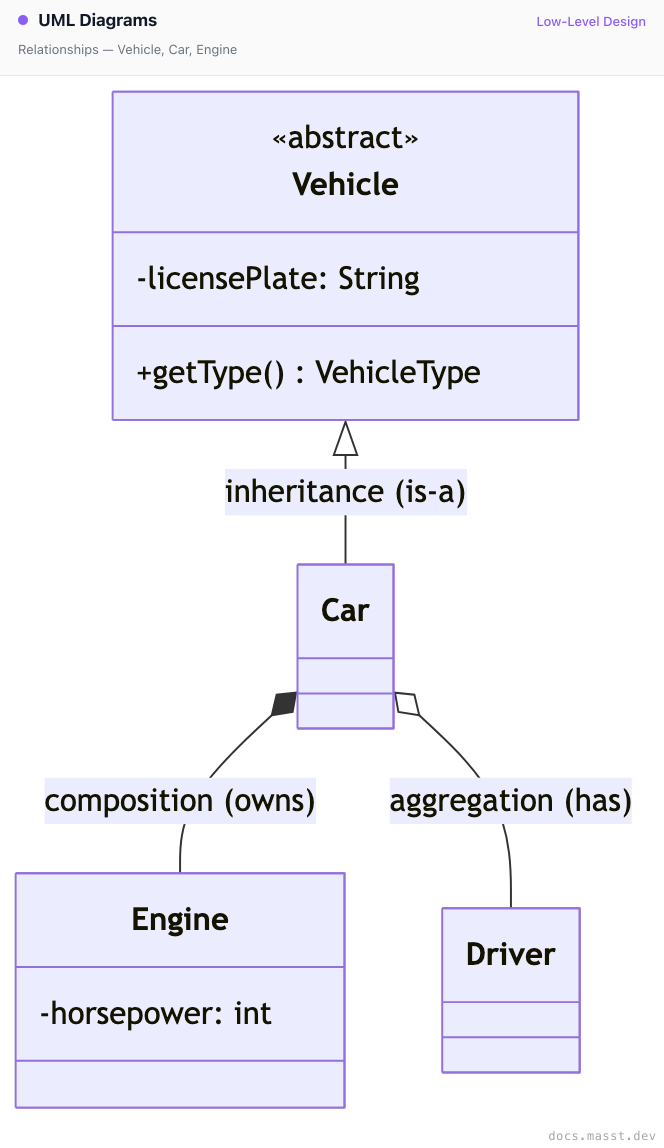
| Symbol | Relationship | Lifetime |
|---|---|---|
<|-- | Inheritance | n/a |
*-- | Composition | child dies with parent |
o-- | Aggregation | child outlives parent |
--> | Association (uses) | independent |
..> | Dependency (transient use) | independent |
Multiplicity
ParkingLot "1" *-- "1..*" ParkingFloorRead as: one ParkingLot owns one-or-more ParkingFloors.
Sequence Diagram
Shows the order of messages between objects over time.
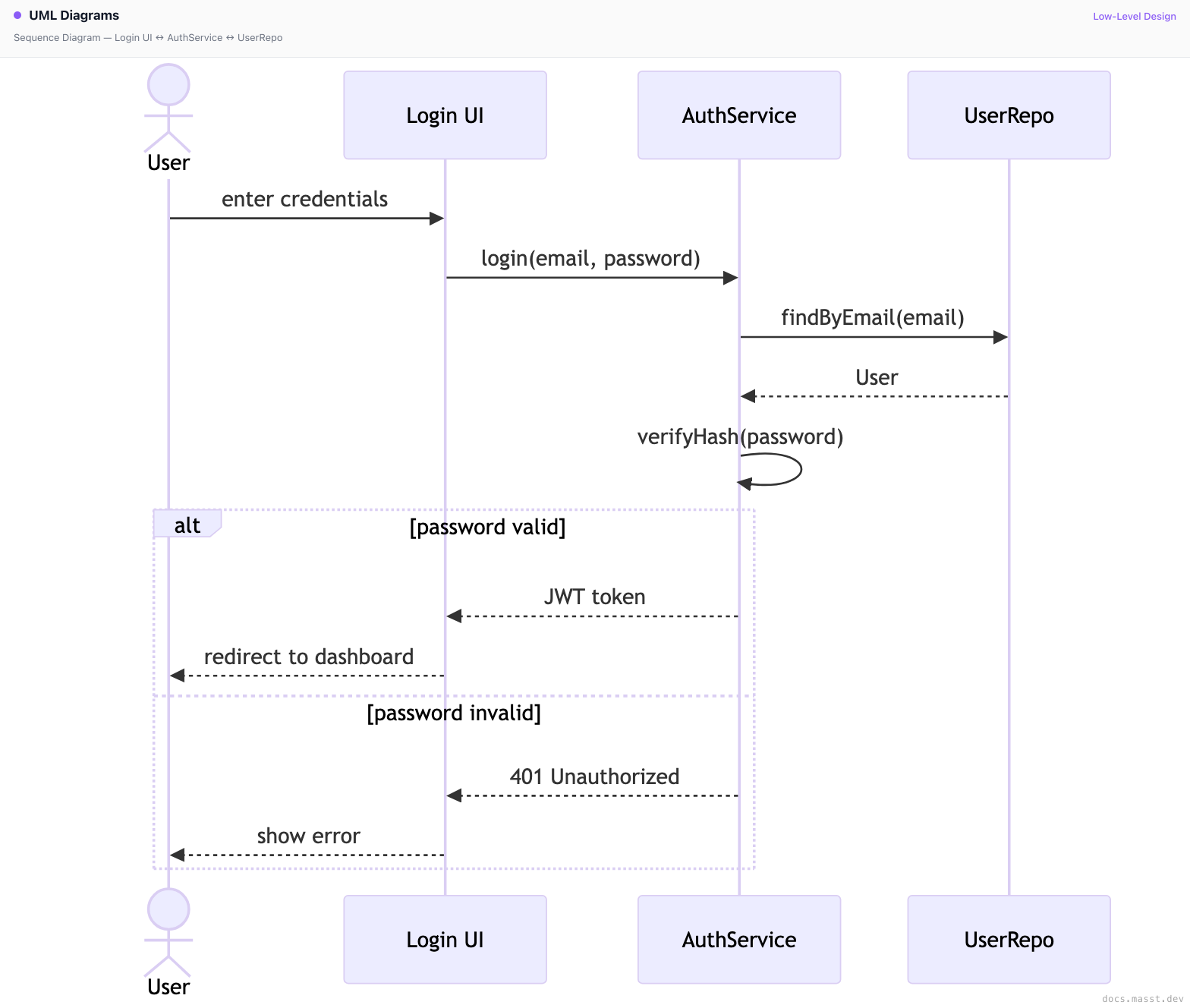
When to use:
- Walking through a happy-path flow
- Showing a failure branch (
alt/else) - Highlighting async calls (open arrow vs filled arrow)
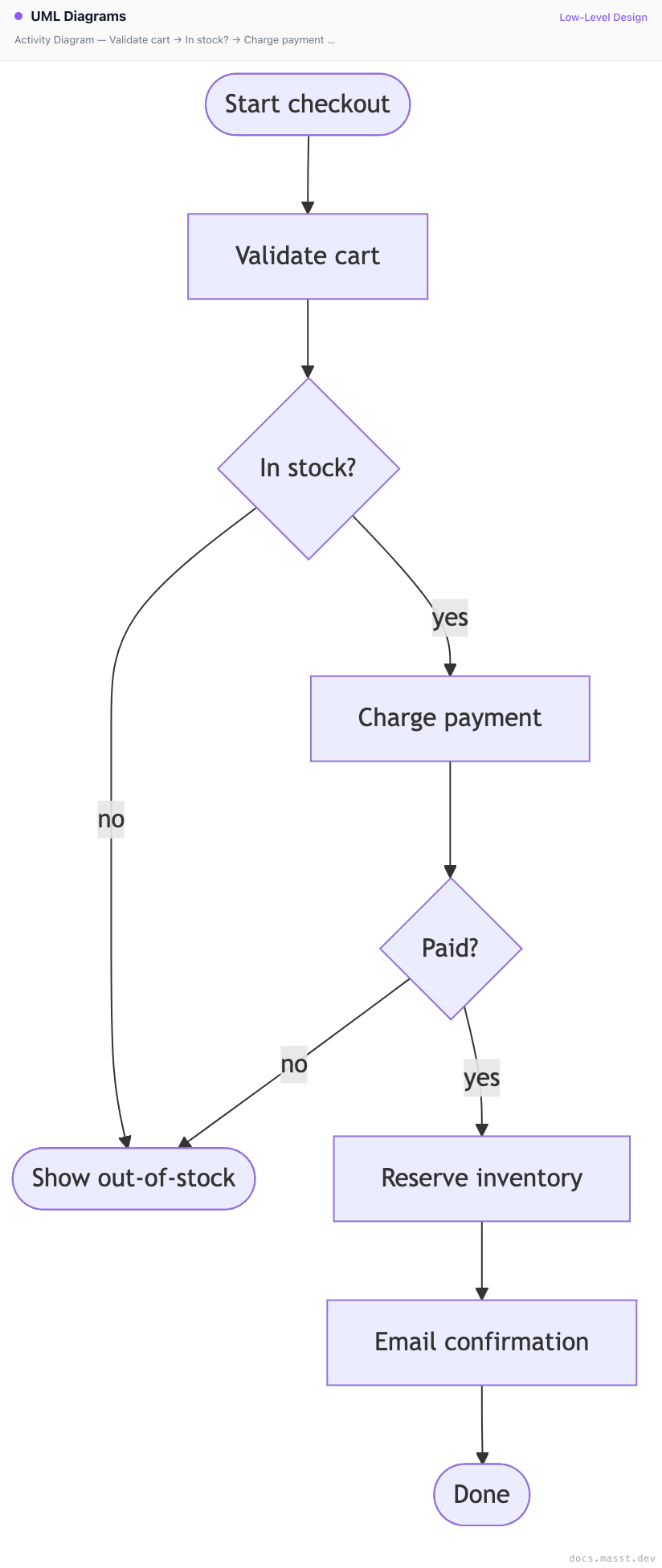
Activity Diagram
Shows control flow — branches, loops, parallel paths. Closer to a flowchart.
State Diagram
Shows how a single entity transitions between states.
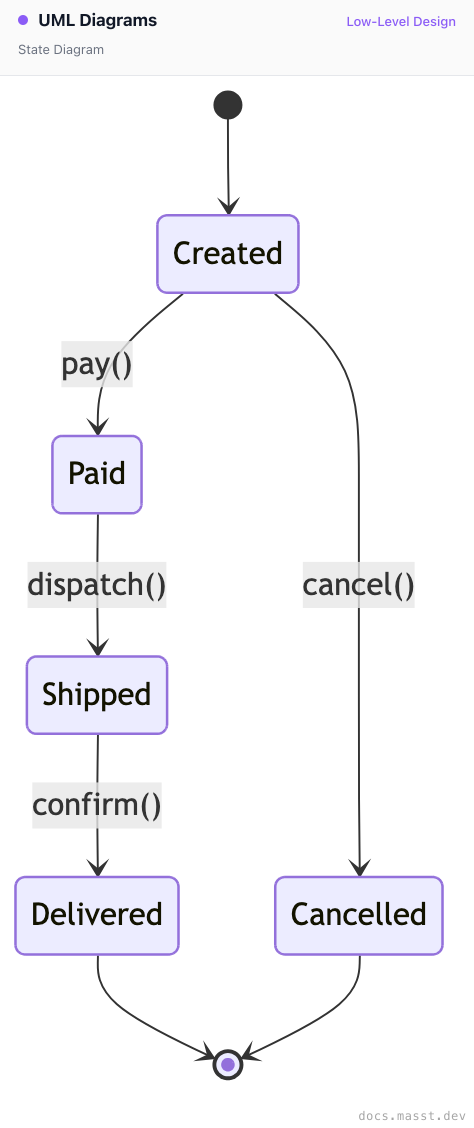
Useful when the problem is fundamentally state-machine shaped: orders, tickets, jobs, network connections.
What to Skip in Interviews
You will never need:
- Component diagrams
- Deployment diagrams (that's HLD territory)
- Object diagrams
- Use-case diagrams
Stick to class + sequence, add state if the problem demands it.
Interview Tips
- Draw the class diagram first — it's the skeleton everything else hangs off of.
- Keep methods on the diagram to the public interface; don't list every private helper.
- Use stereotypes (
<<interface>>,<<abstract>>) — they save explanation time. - If you draw a sequence diagram, annotate failures — interviewers love seeing you think about the unhappy path.
Finished reading?
Mark it done to track your progress in Designs.