
Google Drive
How Google Drive stores 2T+ files for 1B+ users — chunked uploads, deduplication, sharing, sync, and metadata at scale.
Interview practice: try designing this yourself before reading. Go to the exercise ↓
High-Level Architecture
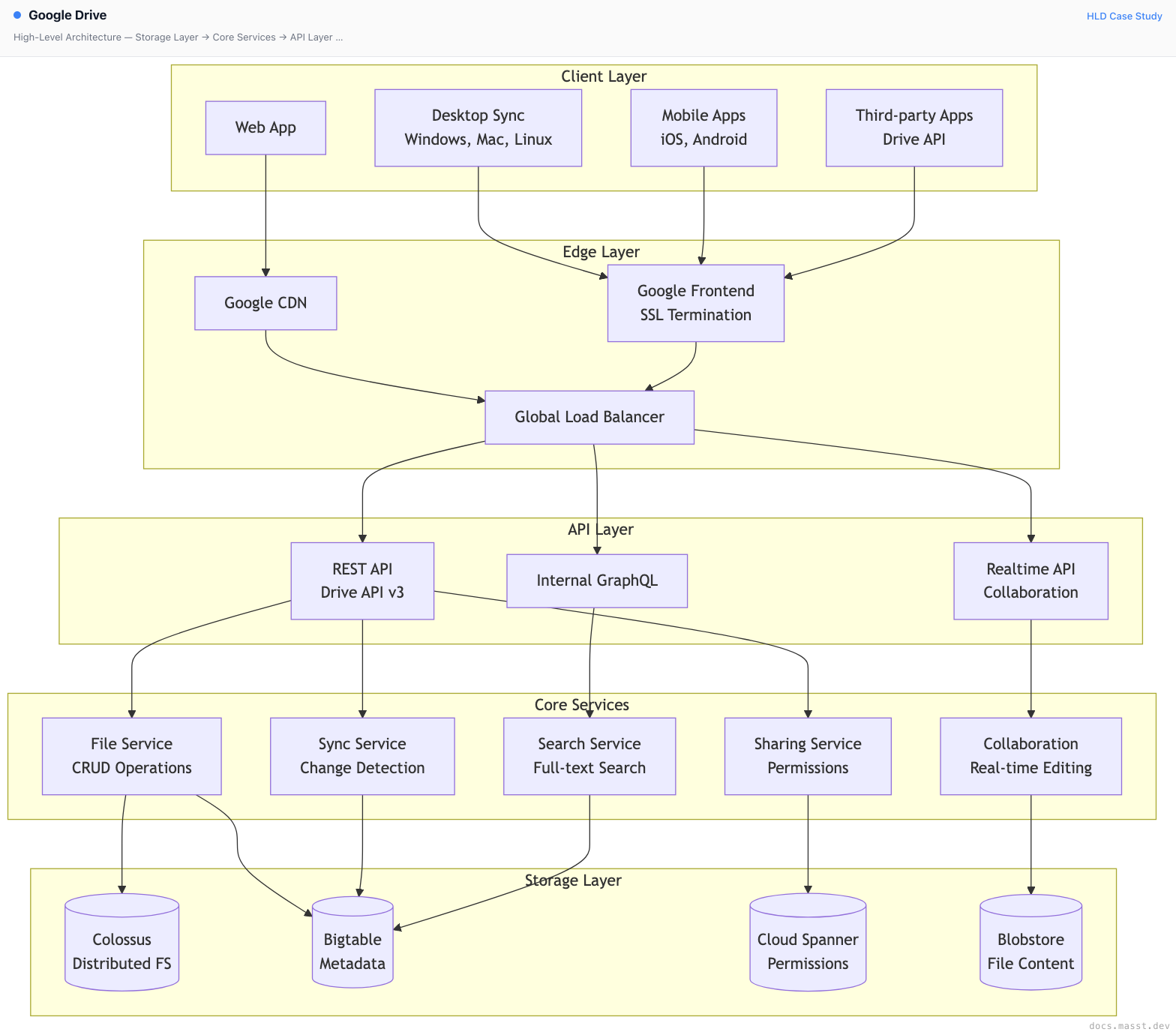
Core Components
1. File Upload Pipeline
Google Drive handles billions of file uploads daily with resumable upload support.

Upload Features:
- Resumable Uploads: Recover from network failures
- Chunked Transfer: Efficient large file handling
- Deduplication: Storage optimization across users
- Virus Scanning: Automatic malware detection
2. Sync Engine
Powers desktop and mobile sync with conflict resolution.
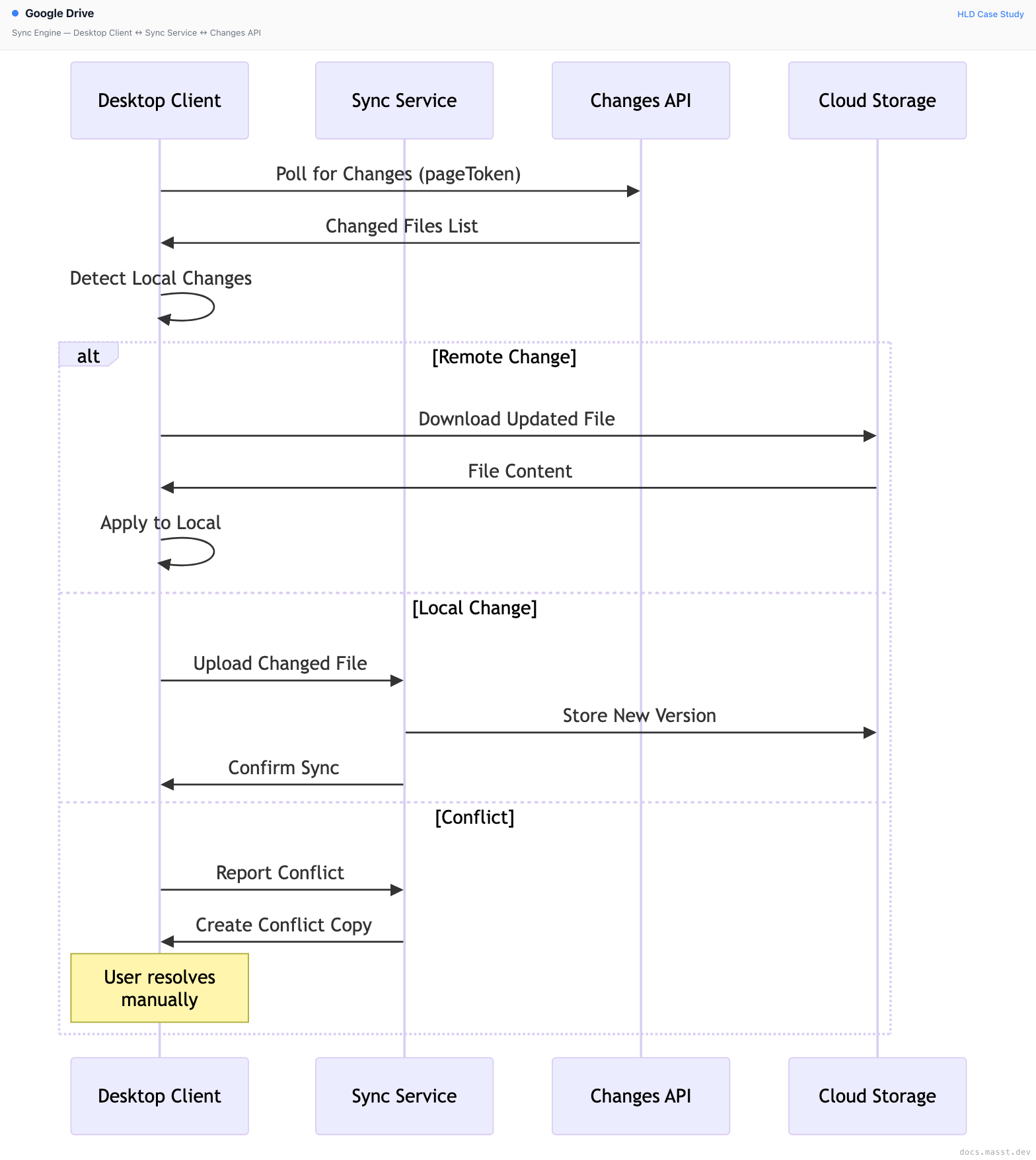
Sync Architecture:
- Delta Sync: Only sync changed portions of files
- Change Tokens: Efficient polling with page tokens
- Conflict Resolution: Automatic conflict copy creation
- Offline Support: Queue changes for later sync
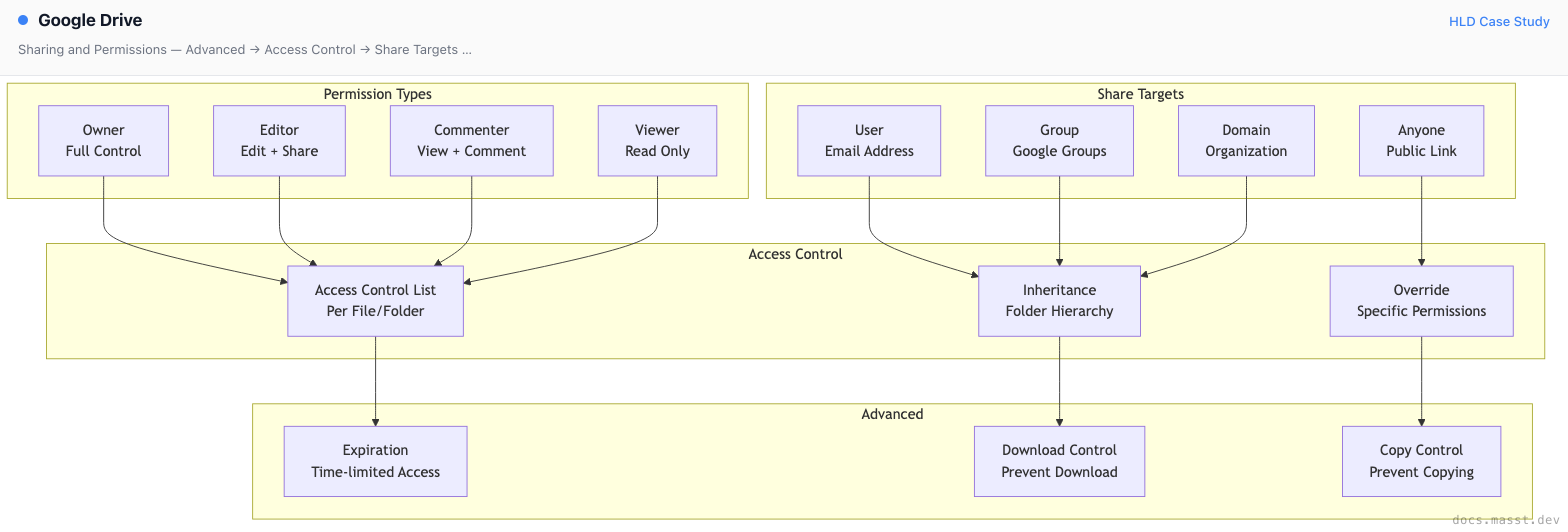
3. Sharing and Permissions
Complex permission model supporting organizational hierarchies.
4. Real-time Collaboration
Powers Google Docs, Sheets, Slides with operational transformation.
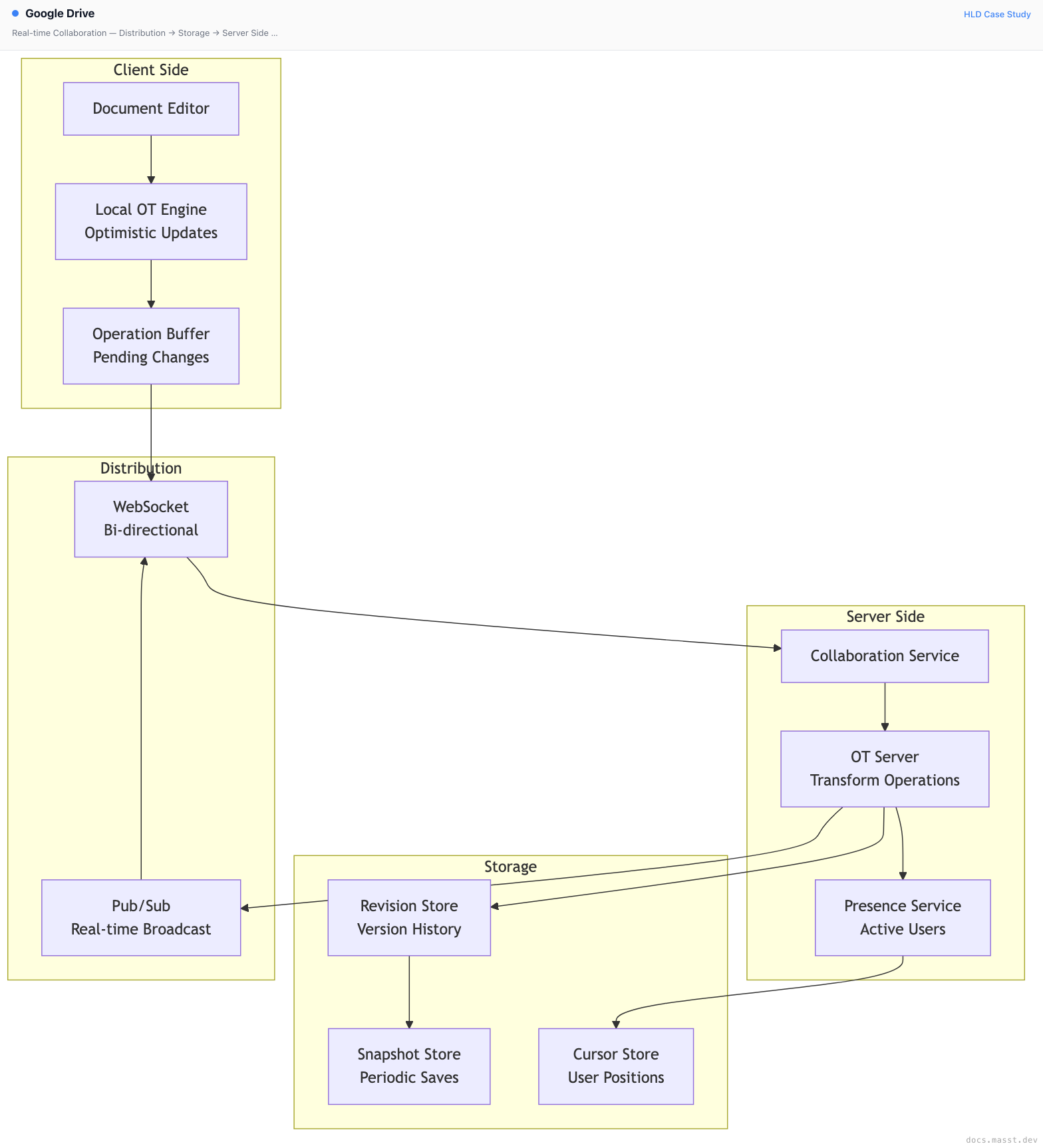
Collaboration Features:
- Operational Transformation: Conflict-free concurrent editing
- Real-time Cursors: See collaborator positions
- Presence Awareness: Active user indicators
- Version History: Full revision tracking
Data Storage Architecture
Colossus (Distributed File System)
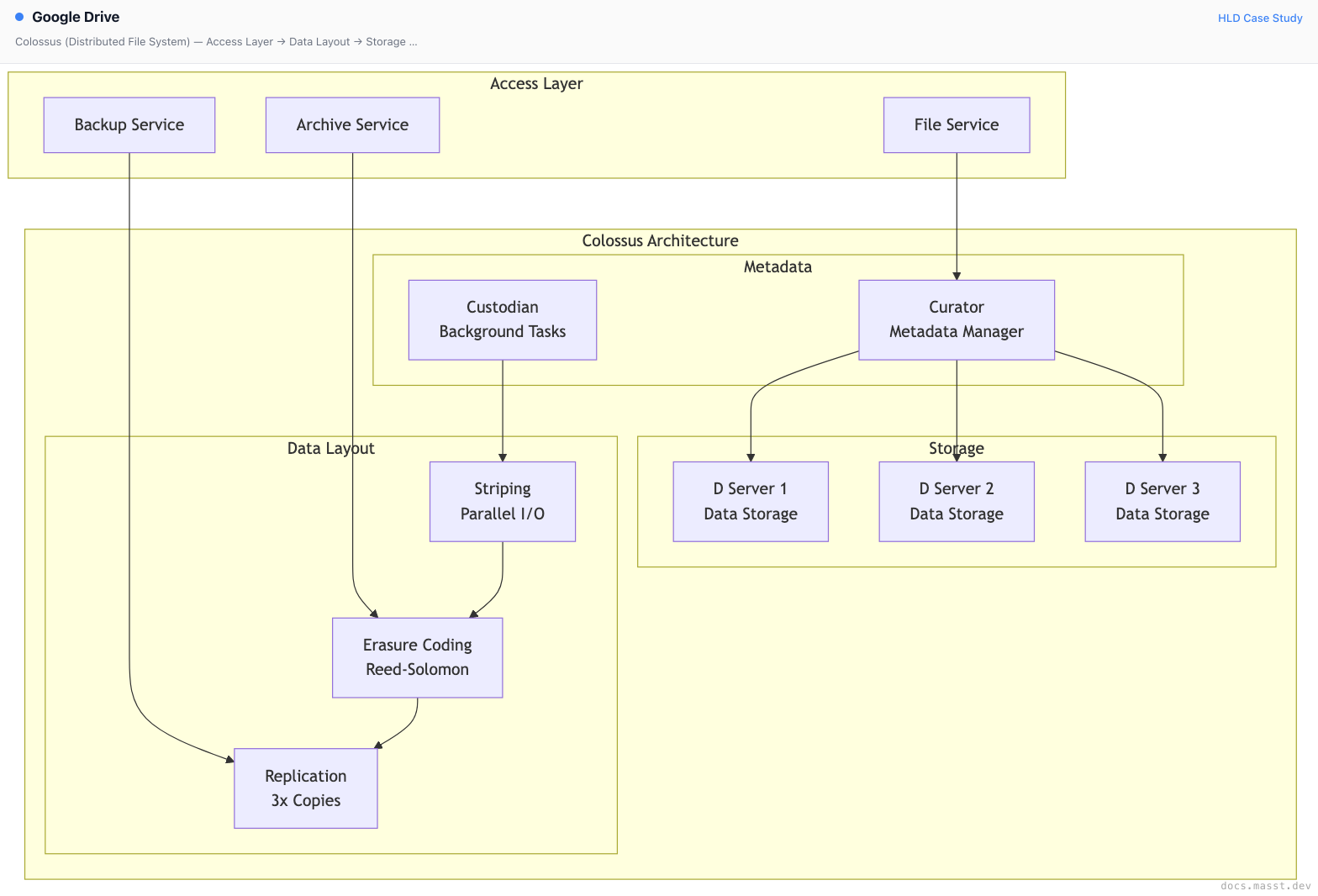
Features:
- Exabyte Scale: Global distributed storage
- Erasure Coding: 1.5x storage overhead vs 3x replication
- Automatic Repair: Self-healing data corruption
- Tiered Storage: Hot, warm, cold data tiers
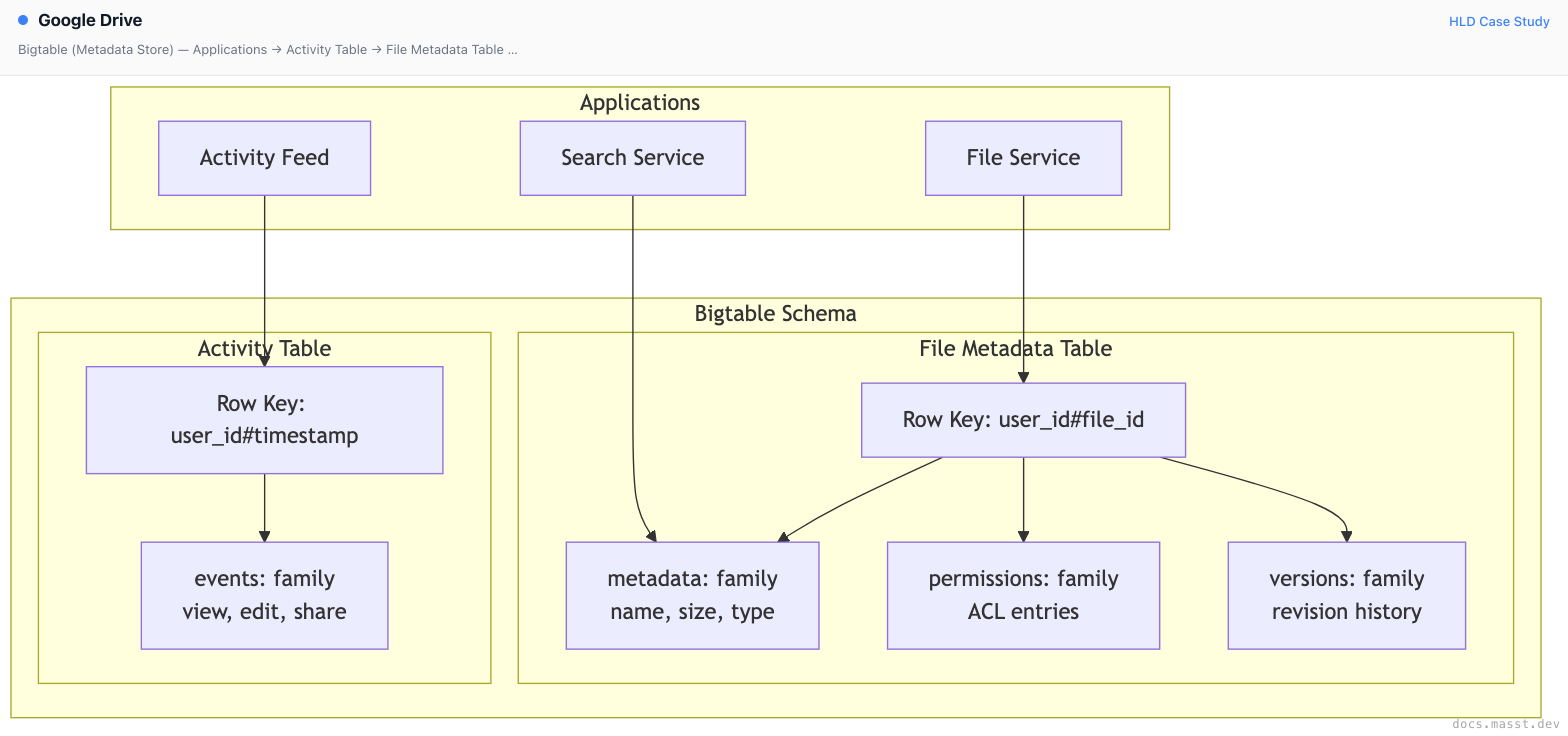
Bigtable (Metadata Store)
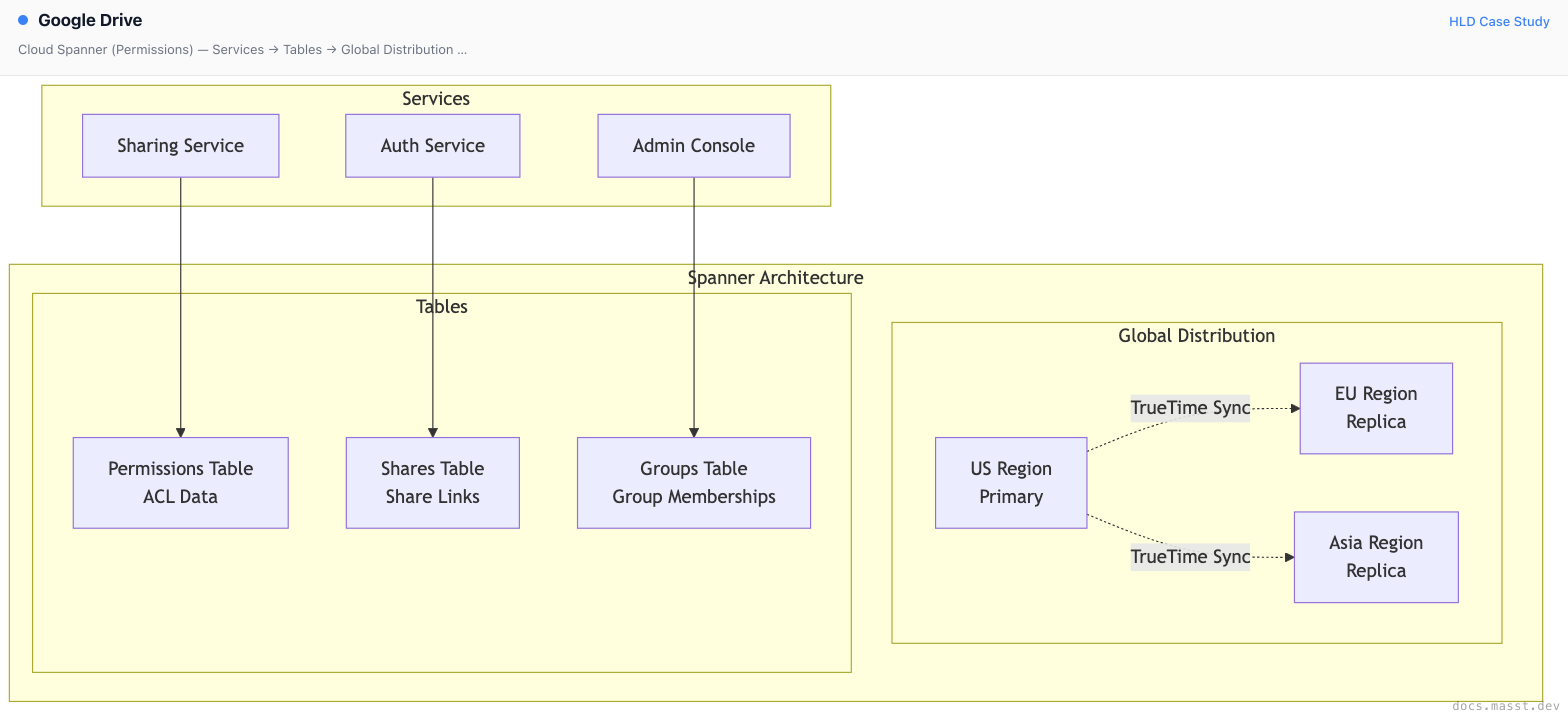
Cloud Spanner (Permissions)
Stream Processing Architecture
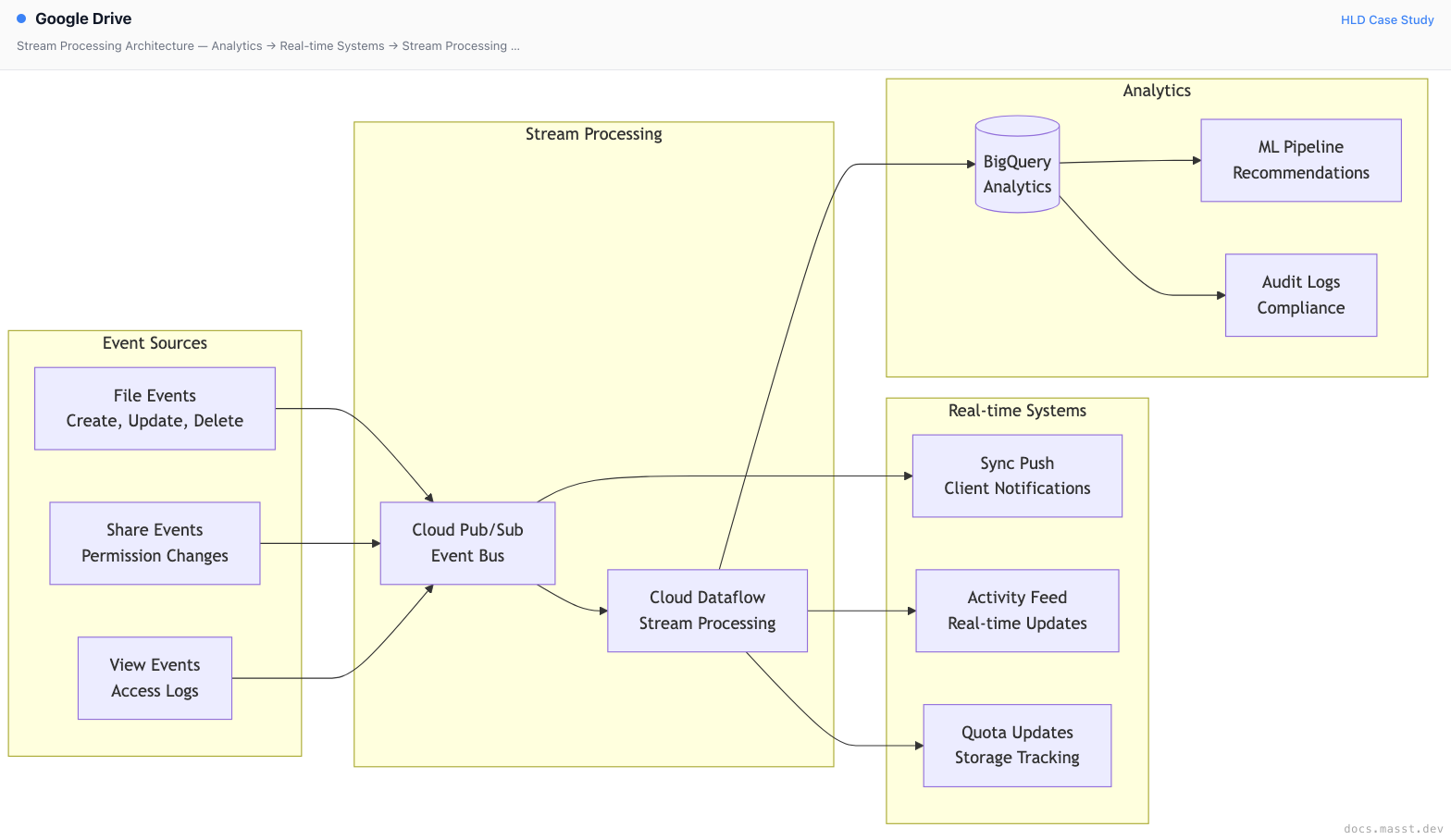
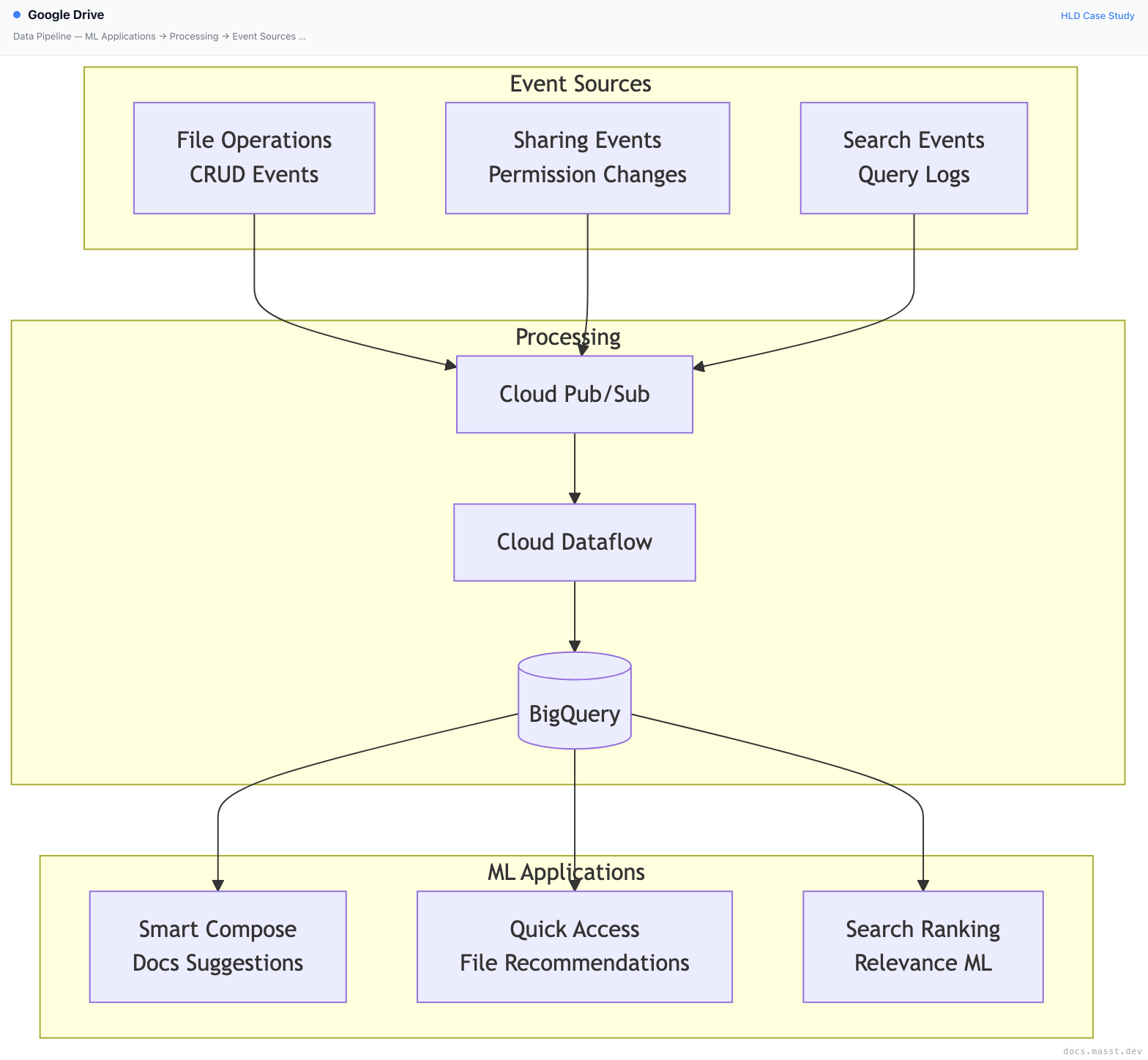
Event Processing
- Cloud Pub/Sub: Millions of events per second
- Cloud Dataflow: Real-time and batch processing
- Activity Feed: Sub-second updates
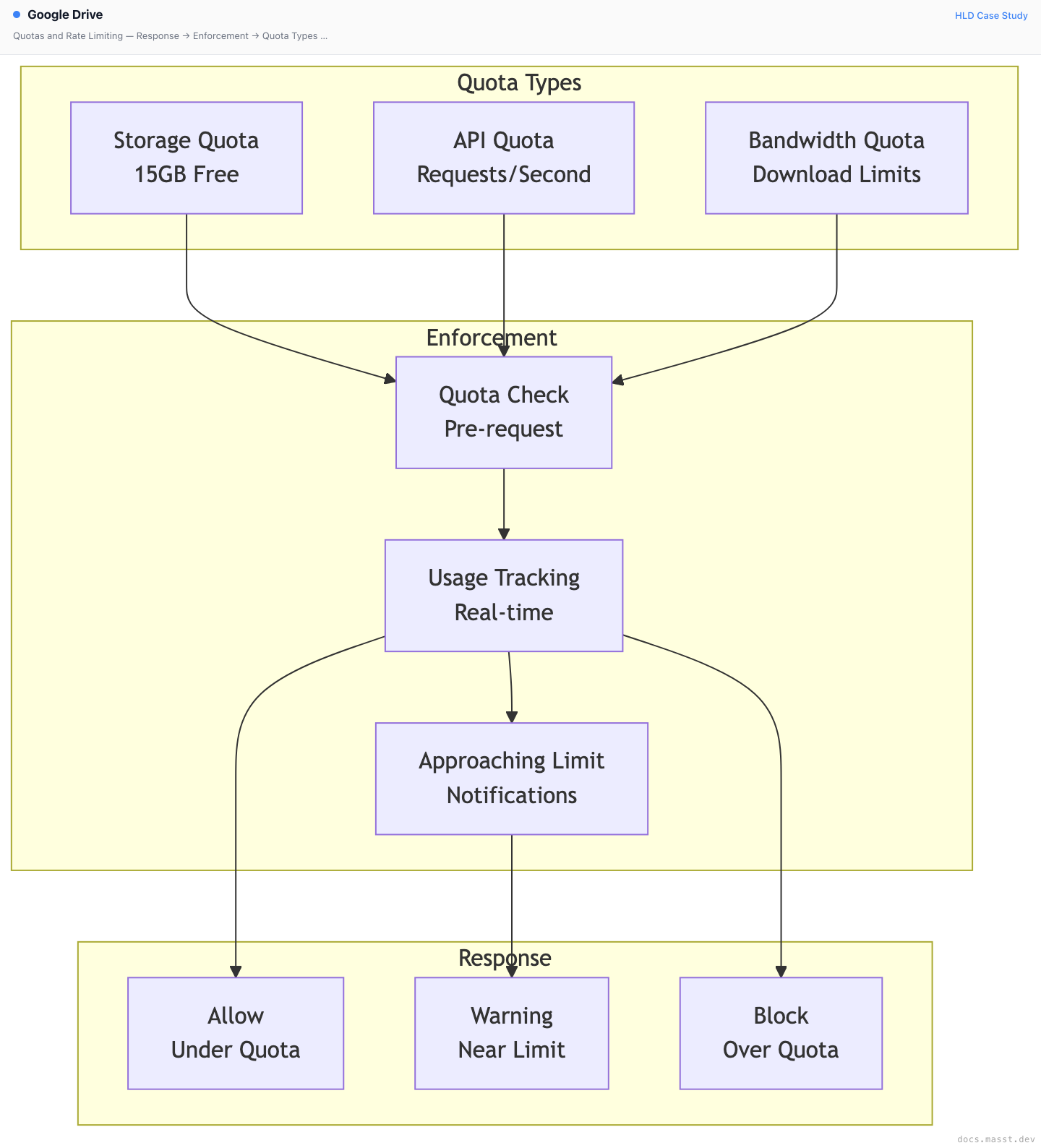
- Quota Tracking: Real-time storage calculations
Scalability Patterns
1. Content Addressing
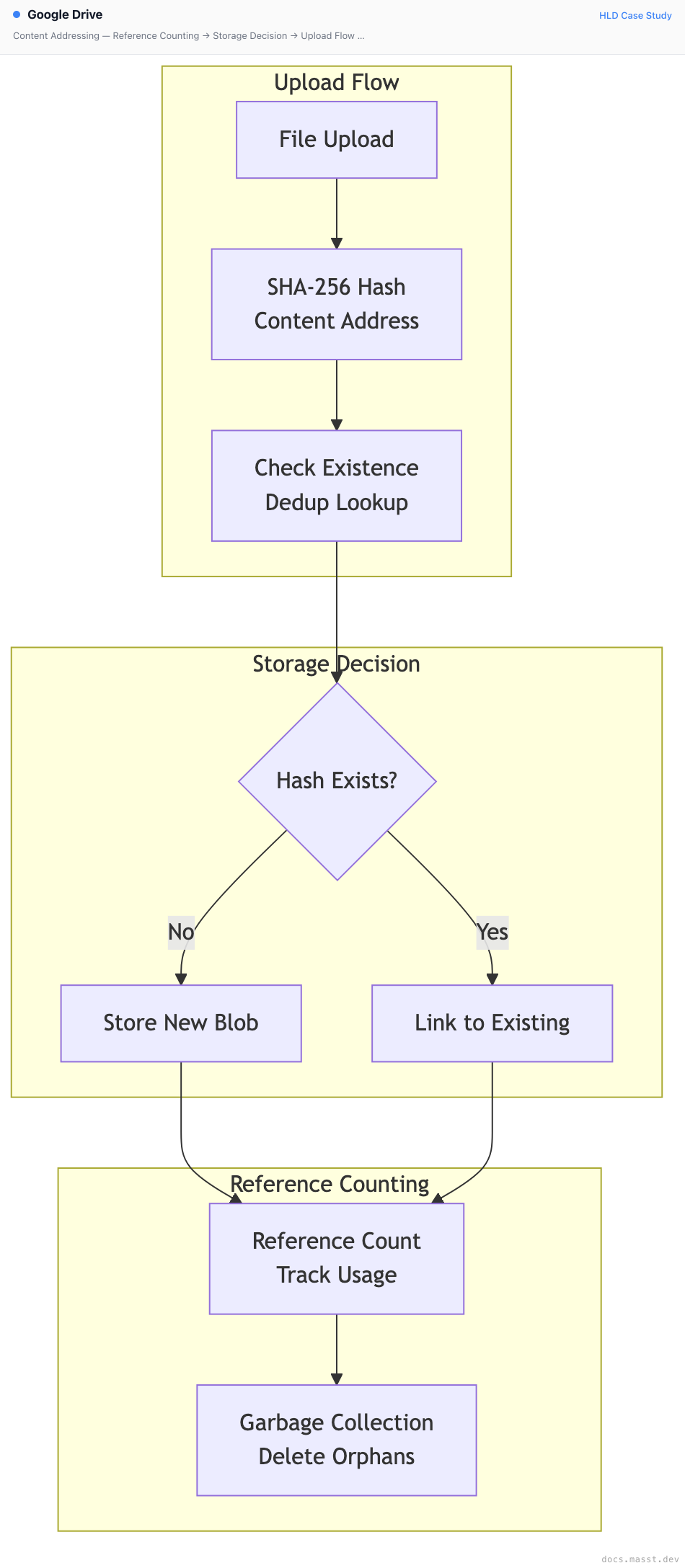
Benefits:
- Storage Efficiency: Single copy of duplicate content
- Fast Uploads: Skip already-uploaded content
- Bandwidth Savings: Only transfer unique data
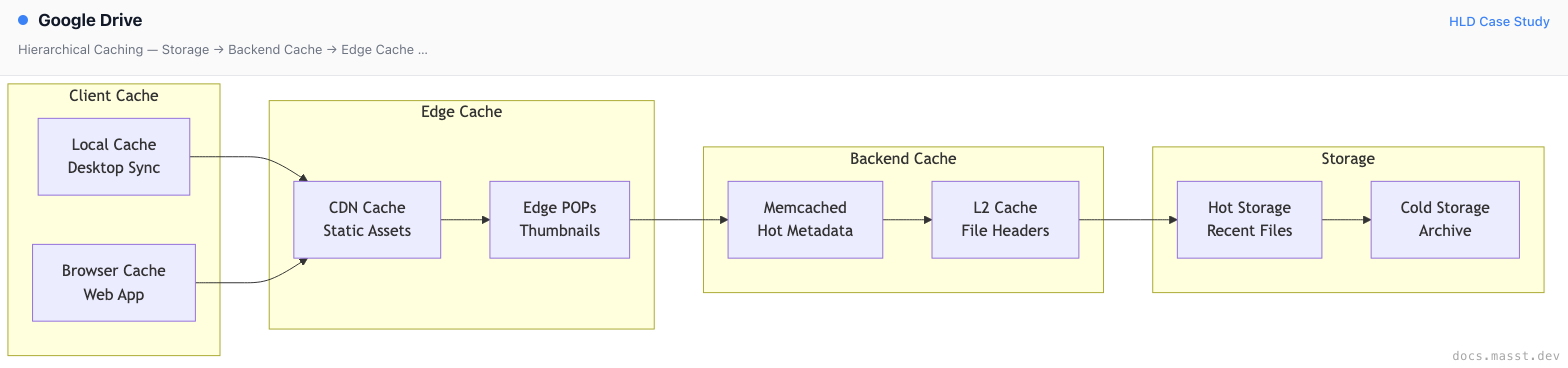
2. Hierarchical Caching
3. Quotas and Rate Limiting
Security Architecture

Enterprise Security
- Data Loss Prevention: Content inspection rules
- Information Rights Management: Download/copy controls
- Google Vault: Legal hold and eDiscovery
- Admin Console: Centralized security management
File Protection
- Client-side encryption option: BYOK support
- Link expiration: Time-limited shares
- Download prevention: View-only mode
- Watermarking: Document tracking
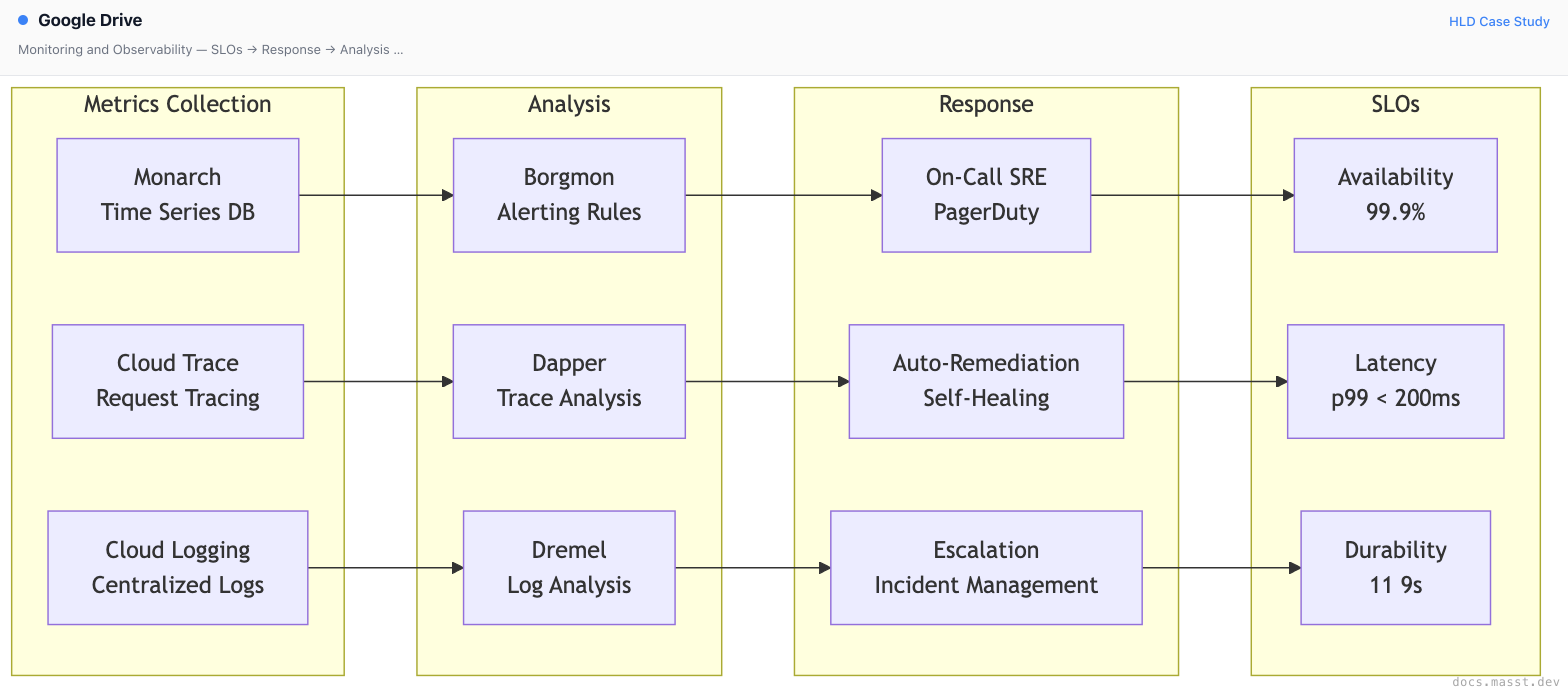
Monitoring and Observability
Deployment and DevOps
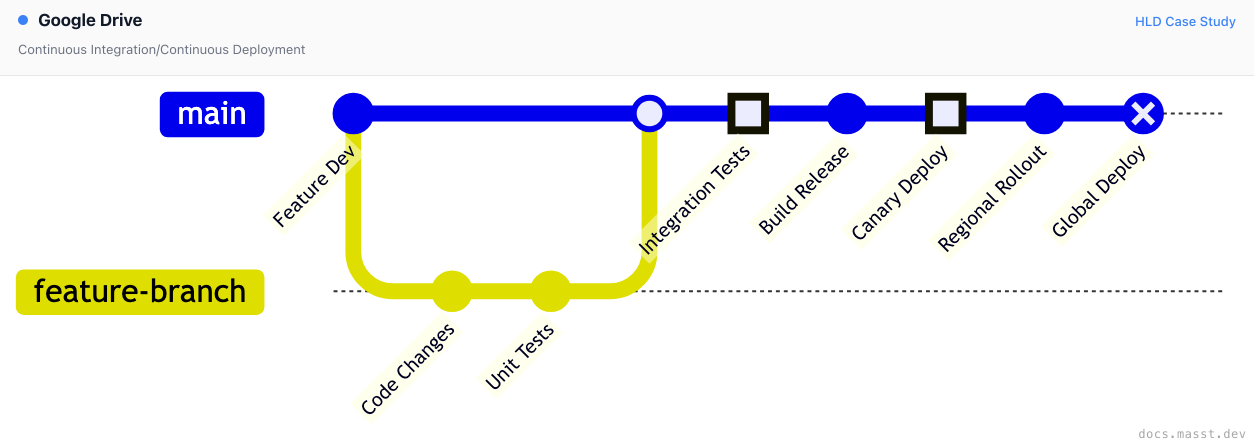
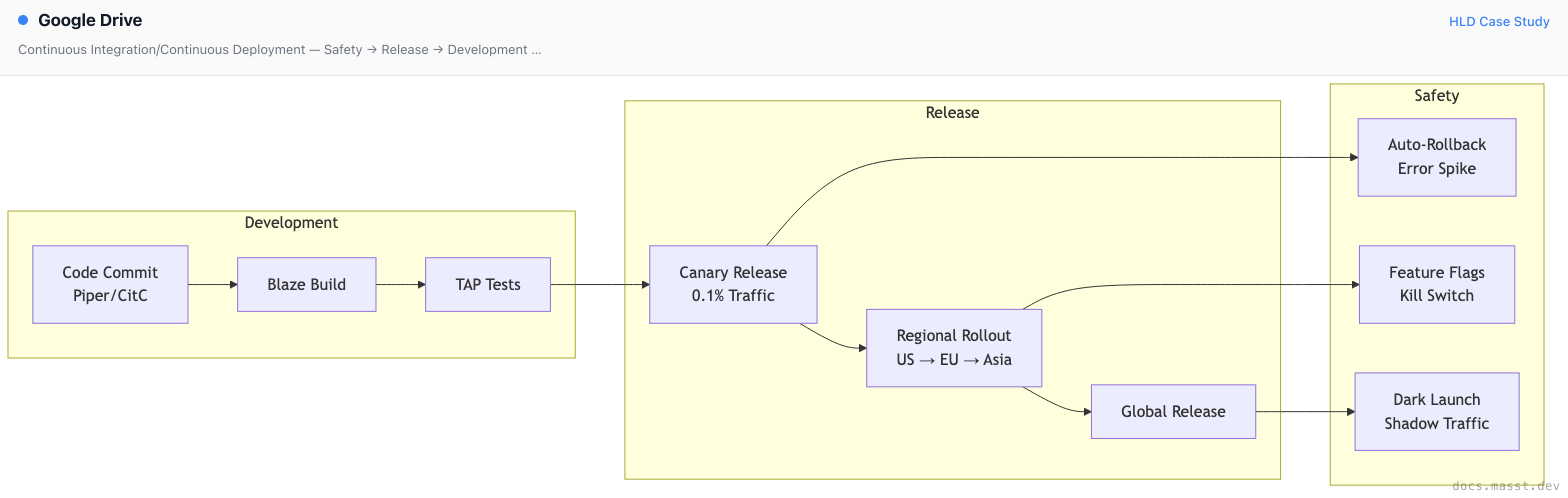
Continuous Integration/Continuous Deployment
Infrastructure (Borg)
- Container Orchestration: Borg for all services
- Auto-scaling: Traffic-based scaling
- Multi-region: Global deployment
- Zero-downtime: Rolling updates
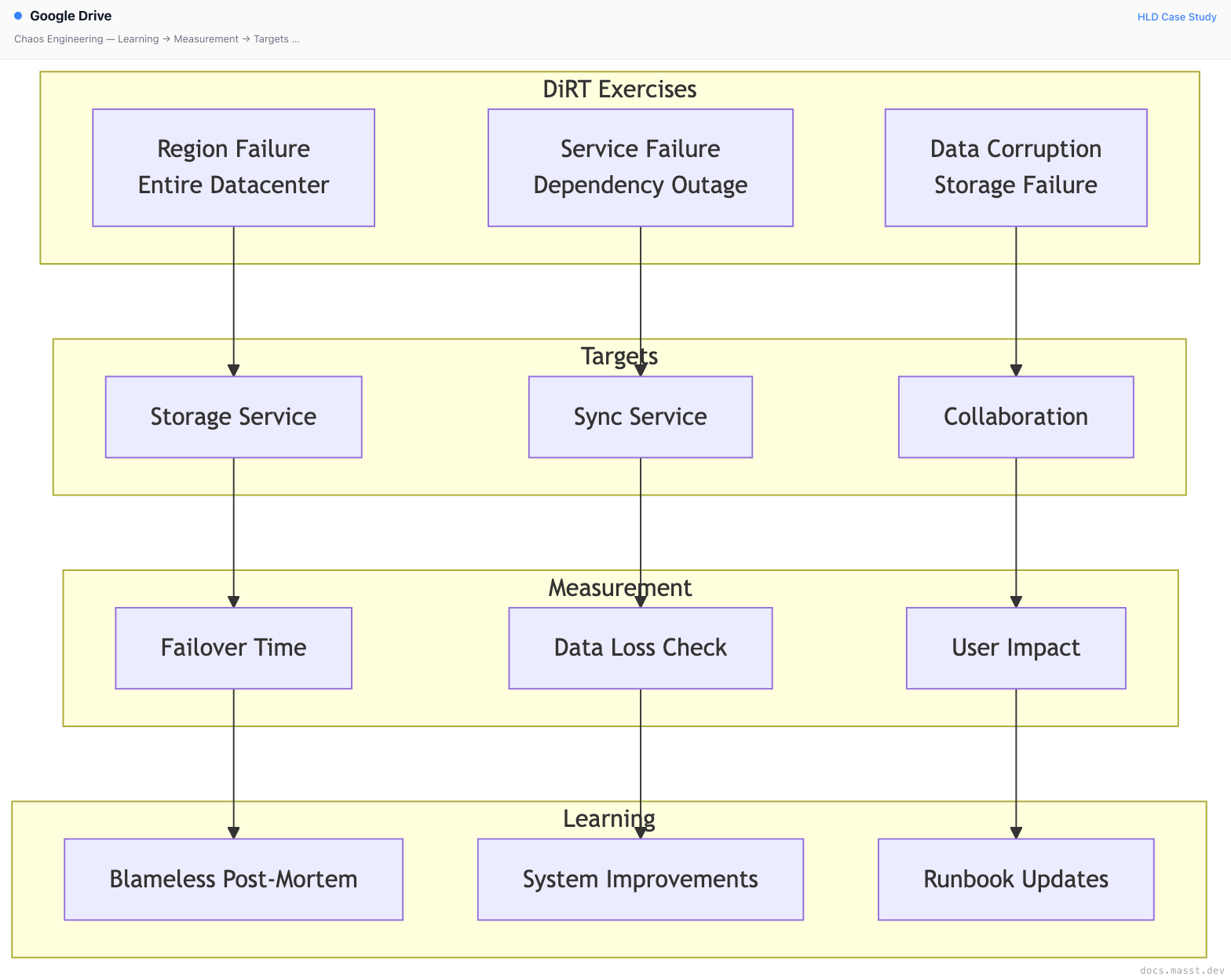
Chaos Engineering
Practices:
- DiRT (Disaster Recovery Testing): Annual large-scale tests
- Dependency Injection: Simulated service failures
- Data Corruption Tests: Storage integrity validation
- Regional Failovers: Cross-region traffic migration
Analytics and Machine Learning
Data Pipeline
ML Use Cases
- Quick Access: Predict files users need
- Search Ranking: ML-powered search relevance
- Smart Compose: Autocomplete in Docs
- Priority Inbox: Important file notifications
- Abuse Detection: Spam and malware identification
Cost Optimization
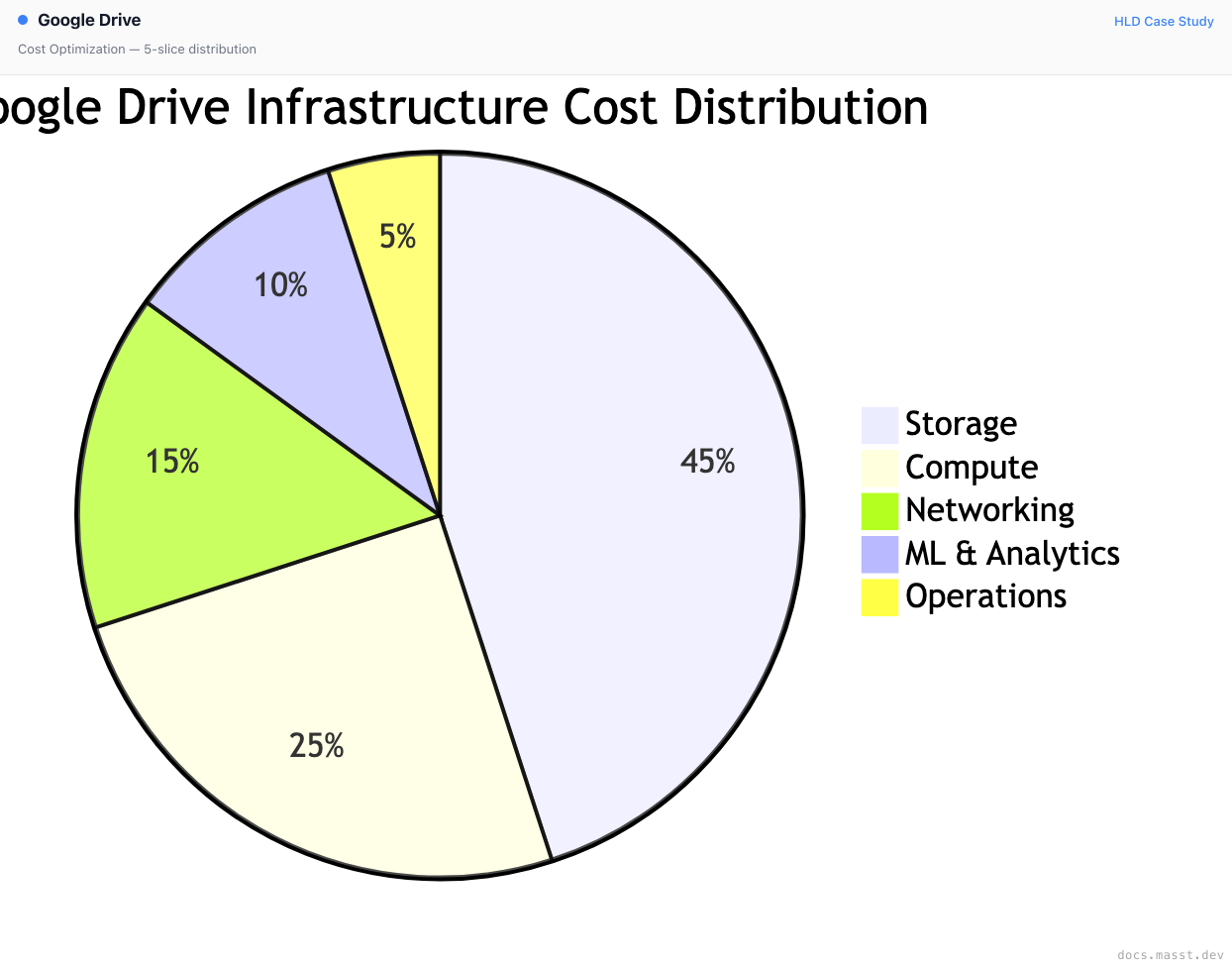

Key Strategies
- Content-Addressed Storage: 30%+ storage savings
- Delta Sync: 90%+ bandwidth reduction for edits
- Tiered Storage: Automatic archival of old files
- Thumbnail Optimization: Efficient preview generation
Future Architecture Considerations
Emerging Technologies
- AI Integration: Gemini for document understanding
- Offline-First: Enhanced offline capabilities
- Real-time Search: Instant search results
- Cross-Platform: Universal file access
Platform Evolution
- Workspace Integration: Deeper Google Workspace ties
- Third-Party Ecosystem: Enhanced API capabilities
- Enterprise Features: Advanced admin controls
- Compliance: New regulatory requirements
Infrastructure Roadmap
- Edge Computing: Faster sync near users
- Green Storage: Energy-efficient data centers
- Quantum-Safe: Post-quantum encryption
- Multi-Cloud DR: Cross-cloud disaster recovery
Conclusion
Google Drive's architecture showcases Google's infrastructure expertise in building a globally distributed, highly available storage system. The combination of Colossus distributed storage, real-time collaboration via operational transformation, and intelligent features powered by ML enables Drive to serve billions of users reliably.
The platform continues to evolve with deeper AI integration, enhanced collaboration features, and improved enterprise capabilities, all while maintaining the simplicity and reliability that users expect.
There might be iterations needed, current data is as close I could get.
Practice
Try it yourself
Design Google Drive: store files in the cloud and keep them in sync across a user's devices.
Your design should cover
- Upload, download, rename, move and delete files and folders
- Sync changes to every device of the user, including after being offline
- Share files with other users with view or edit permissions
- Files up to many GB; uploads resume after interruption
- Storage cost matters at billions of files
Finished reading?
Mark it done to track your progress in Designs.